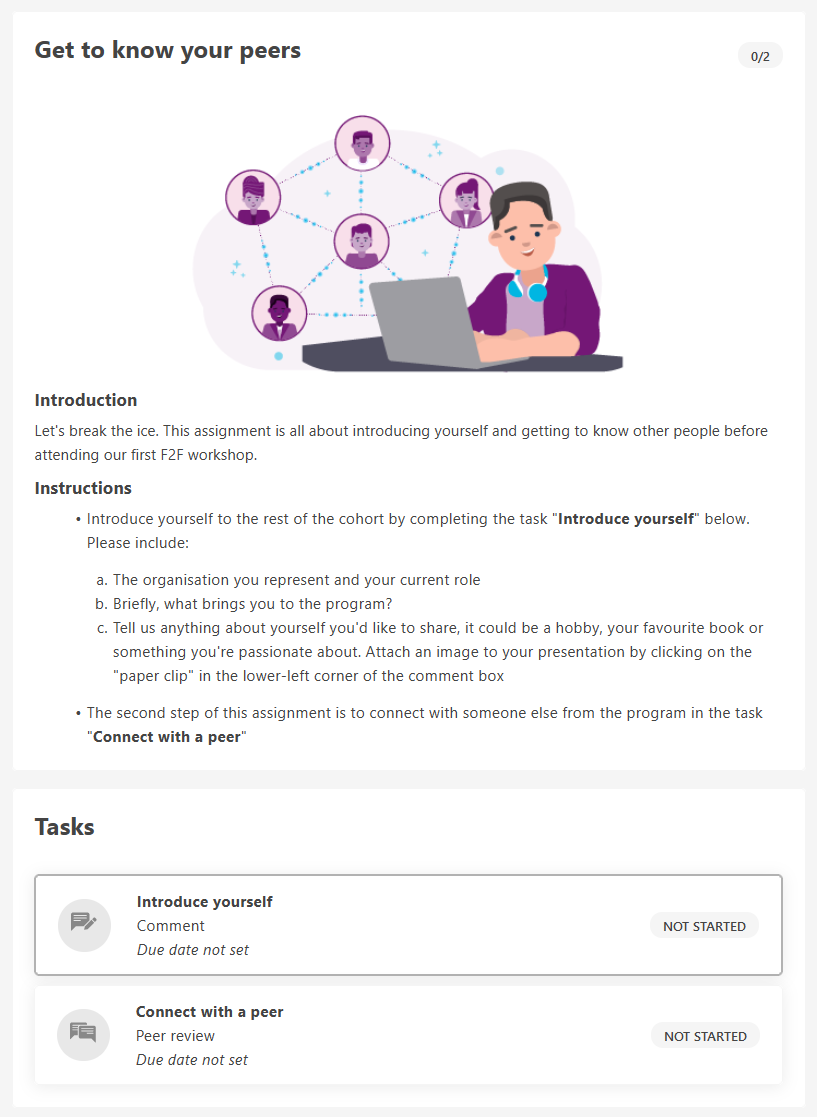
Below you have an example of an “Introduce yourself” assignment for you to use, or to get inspired by when you compose your own assignment.
The “Introduce yourself” assignment
An assignment where the learners introduce themselves is a good way to get the learners started in Promote. To make it more alive and engaging you can also add a video to the assignment.
Our tips for the “Introduce yourself” assignment:
- Make the assignment about the learner’s current role and organisation – if you think it suits the target group you can ask them to share more personal matters such as hobbies, favourite movies or funny anecdotes
- Make the learners reflect by also asking them to share either their expectations of participating in the program or what brought them to the program
- Ask the learners to use the paper clip in the comment box if you’d like them to attach pictures to support their presentations
The completion type Peer Review
When you have a task with the completion type Comment as in “Introduce yourself” you can connect it with a Peer Review task. With Peer Review you let the learners review and provide feedback on each other’s answers, which will help to broaden the social learning. Who review who will be automatically set by Promote. To add this option at the beginning of a program, e.g. in an “Introduce yourself” assignment, will kick-start the program.

ASSIGNMENT
Title: Get to know your peers
Body:
(IMAGE)
Introduction
Let's break the ice. This assignment is all about introducing yourself and getting to know other people before attending our first F2F workshop.
Instructions
- Introduce yourself to the rest of the cohort by completing the task "Introduce yourself" below. Please include:
- The organisation you represent and your current role
- Briefly, what brings you to the program?
- Tell us anything about yourself you'd like to share, it could be a hobby, your favourite book or something you're passionate about. Attach an image to your presentation by clicking on the "paper clip" in the lower-left corner of the comment box
- The second step of this assignment is to connect with someone else from the program in the task "Connect with a peer"
TASK 1
Title: Introduce yourself
Completion Type: Comment
Completion Instructions: Please share a) the organisation you represent and your current role b) briefly, what brings you to the program c) Anything you'd like to share with the rest of your learning peers. You can add a picture to your presentation by clicking on the paper clip.
TASK 2
Title: Connect with a peer
Completion Type: Peer Review
Completion Instructions: Start the ball rolling with your new network - take a look through the presentation below and ask the learning peer you have been connected to a question about him/her and/or his/her organisation.